Why do some chargers get hot during use? This question often arises beside a warm phone, laptop, or power bank. A charger may feel slightly warm while converting electricity. That heat usually comes from normal energy loss inside its electronic components. Transformers, switching circuits, cables, and connectors can all produce heat.
Not all warmth means danger. A compact charger working near its maximum rated output may become noticeably warm, especially in a poorly ventilated space. Charging a device under heavy use can increase the load. A phone running navigation, gaming, or video recording may draw power while charging. The adapter then works harder, and the temperature can rise.
The situation deserves closer attention when the charger becomes painfully hot, smells unusual, makes noise, or shows discoloration. A loose plug, damaged cable, blocked ventilation, or incompatible accessory may increase resistance. That resistance can create extra heat around the connector. Small details matter. A charger covered by bedding has less opportunity to release heat.
Reliable guidance starts with the manufacturer’s specifications. Check the rated voltage, current, and recommended operating conditions. Use certified products from reputable brands. Stop using equipment with cracked housings or exposed wires. Allow airflow around the adapter.
The answer is not always obvious. Temperature depends on design, load, room conditions, and charging quality. Even experienced users can misjudge safe warmth by touch alone. A simple thermometer can provide better evidence. Understanding these factors helps separate normal operating heat from warning signs that require replacement or professional inspection.
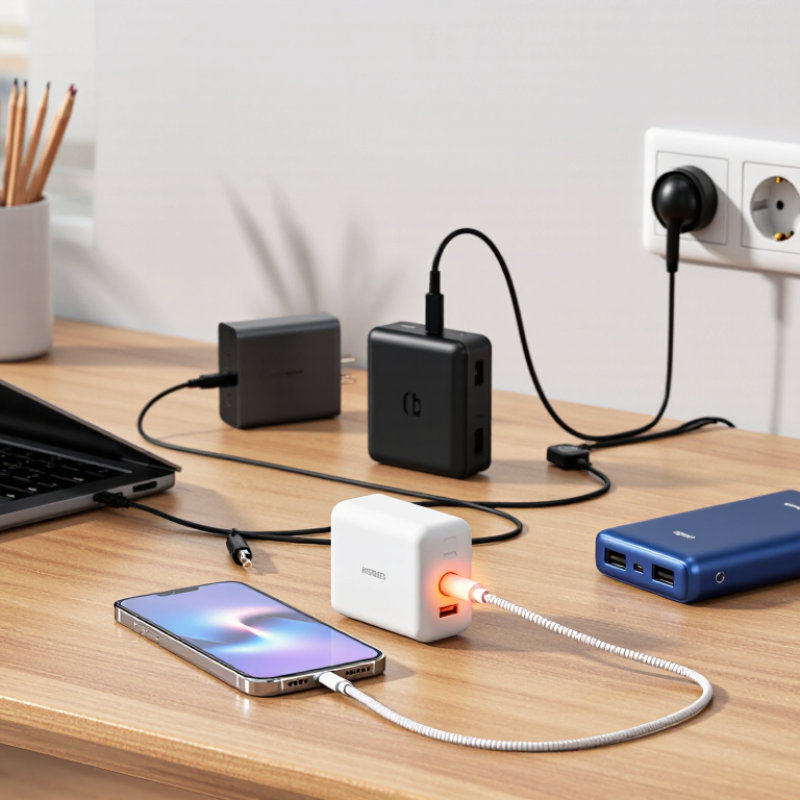
A charger generates heat because electrical conversion is never perfectly efficient. It changes wall-current AC into regulated DC, while switching components, transformers, capacitors, and cables resist some energy flow. The U.S. Department of Energy’s External Power Supply Test Procedure measures this difference between input and output power. That lost energy becomes heat.
Consider a 30-watt charger operating at 90% efficiency. It delivers 30 watts but draws about 33.3 watts, leaving roughly 3.3 watts as heat. Small enclosures cannot dissipate that heat quickly. The casing may feel warm near the transformer or switching circuit. It is not automatically a defect. Not always.
ENERGY STAR’s External Power Supply specification requires active-mode efficiency levels that vary with rated output power. Higher efficiency reduces wasted energy, but it does not eliminate thermal buildup. Charging near maximum capacity increases semiconductor conduction losses. A thin or damaged cable can add resistance, especially when current is high. Poor ventilation also traps heat under blankets, cushions, or crowded power strips. In practical testing, surface temperature can change noticeably with room temperature, load level, and airflow. This is where assumptions become unreliable. A warm charger may be normal, yet an unusually hot surface, burning odor, buzzing sound, or intermittent charging deserves inspection. The IEC 62368-1 safety framework evaluates heat-related hazards, but users still need to consider real placement conditions.
Top Reasons Why Some Chargers Get Hot During Use?
Common Causes of Excessive Charger Heating
Excessive charger heating usually begins with conversion loss. Electricity enters as alternating current, then passes through switching components, transformers, and rectifiers. Some energy becomes heat instead of useful output. USB Implementers Forum Power Delivery Specification Revision 3.1 allows charging up to 240 watts. At that level, only 5% conversion loss creates 12 watts of heat inside a small enclosure. That is significant. A warm surface can be normal, but a burning smell, discoloration, or unstable charging needs immediate attention.
Poor ventilation makes the problem worse. A charger pressed against bedding, trapped behind furniture, or covered by clothing cannot release heat effectively. The European Commission’s external power supply studies identify conversion losses and thermal management as important efficiency concerns. Undersized components, damaged cables, loose connections, and sustained high-current operation may also increase resistance. The result is visible in simple ways: a hot plug, softened insulation, or charging that repeatedly stops. IEC 62368-1 evaluates energy hazards and accessible surface temperatures, but certification cannot correct misuse or blocked airflow. It is easy to assume every warm charger is defective. That view is too simple. I also think users often ignore gradual heating because the device still works. A cooler, open surface and a compatible cable are practical checks, not guaranteed fixes.
Excessive charger heating is often caused by higher current, poor electrical contact, damaged cables, blocked ventilation, or inefficient power conversion. The chart shows the heat dissipated by a 0.1 Ω connection resistance at different charging currents, calculated using the electrical relationship P = I²R. Because heat rises with the square of current, small increases in current can produce significantly more heating.
A charger can feel hot when its electrical profile does not match the device’s needs. Compatibility involves voltage, current, charging protocol, cable quality, and thermal design. A phone may request only 18 watts, while a compatible adapter can offer 65 watts. That does not force 65 watts into the phone, but conversion losses still create heat inside the adapter. The USB Implementers Forum states that USB Power Delivery can negotiate outputs up to 240 watts. Higher capability requires more careful negotiation and cooling.
The U.S. Department of Energy’s Level VI requirements set minimum efficiency standards for many external power supplies and limit no-load consumption to 0.1 watt. Efficiency is never perfect. If an adapter delivers 20 watts at 90% efficiency, roughly 2.2 watts becomes heat. In a small plastic enclosure, that heat may make the surface noticeably warm within minutes. Poorly matched cables can add resistance, especially when they are long, thin, or damaged. The result is warmer connectors and slower charging.
Real testing matters more than label matching. Place the charger on a hard surface, not beneath clothing or bedding. Check whether the device repeatedly starts and stops charging. That pattern can indicate unstable negotiation, overheating protection, or a weak cable. IEC 62368-1 emphasizes safeguards against fire, energy, and temperature hazards, but certification does not guarantee a cool hand-feel. I once treated warmth as proof of fast charging; that assumption was incomplete. A cooler adapter may simply be delivering less power.
| Operating Scenario | Typical Charger Output | Device Demand and Compatibility | Typical Charger Surface Temperature | Main Reason for Heat | Practical Risk Level | Recommended Action |
|---|---|---|---|---|---|---|
| Low-power charging with adequate ventilation | 5–12 W | The device requires equal to or less than the charger's rated output; cable and connector are in good condition. | 32–42 °C | Normal conversion losses and a relatively low current draw. | Low | Continue using it on a hard, uncovered surface. |
| Fast charging with a compatible device | 18–30 W | The charger and device support the same charging protocol and voltage profile. | 40–55 °C | Higher power increases internal switching and conduction losses, especially during the first charging phase. | Moderate but generally normal | Keep ventilation openings clear and avoid covering the charger. |
| High-power laptop or tablet charging | 45–100 W | The device is compatible with the charger's power-delivery profile and the cable is rated for the required current. | 45–65 °C | High sustained power causes more heat in the transformer, switching components, rectifier, and cable connections. | Moderate | Use the specified cable, allow airflow, and disconnect the charger if it becomes painful to touch. |
| Charger power is lower than the device's requested power | 5–20 W charger used with a higher-demand device | The device is electrically compatible but attempts to draw near the charger's maximum output for a long period. | 45–60 °C | Operating close to the maximum rating raises current-related losses and reduces thermal headroom. | Moderate to elevated | Use a charger with the device's recommended wattage and avoid intensive use while charging. |
| Protocol mismatch or limited compatibility | Output is reduced or repeatedly renegotiated | The charger and device do not share the same fast-charging protocol, or the cable cannot support the requested mode. | 40–58 °C | Repeated voltage negotiation, inefficient operating points, or prolonged high-current charging can increase heat. | Moderate | Use a certified cable and a charger that explicitly supports the device's charging standard. |
| Restricted airflow or high ambient temperature | Any rated output | The charger is placed under bedding, inside a bag, in direct sunlight, or in an environment above approximately 30 °C. | 50–70 °C | Heat cannot dissipate efficiently, so the external case temperature rises even when the electrical load is normal. | Elevated | Move it to a cool, dry, open area and keep it away from combustible materials. |
| Damaged cable, loose connector, or contaminated port | Any rated output | Compatibility may be correct, but a poor electrical contact creates additional resistance at the connection point. | 55–75 °C locally | Resistive heating is concentrated around the plug, cable end, or device port rather than spread throughout the charger. | High | Stop using the charger, replace the damaged cable, and inspect the port for debris or deformation. |
| Aging or internally damaged charger | Output may fluctuate or fall below its rated level | The device may still charge, but degraded capacitors, insulation, or switching components reduce efficiency. | 50–70 °C or rapid temperature changes | Component aging can increase electrical losses, ripple, and internal resistance. | High | Replace the charger if it smells unusual, makes buzzing sounds, shows discoloration, or becomes excessively hot. |
Temperature ranges are representative operating values for common consumer charging equipment, not universal safety limits. A charger that is warm during normal operation can be acceptable, but localized burning heat, smoke, odor, visible damage, or rapid temperature increases require immediate disconnection.
A charger can feel warm during normal operation, especially when converting power. Excessive heat is different. It may signal damaged insulation, a loose connection, blocked airflow, or an incompatible device. I once treated mild heat as harmless. That assumption deserves more caution. A hot charger can soften plastic, expose conductors, or damage a device’s battery. In severe cases, overheating may cause burns, sparks, smoke, or fire. The risk increases when the charger sits under clothing, on bedding, or near paper.
Watch for warning signs. A sharp plastic smell, discoloration, buzzing, cracked casing, or unusually slow charging should not be ignored. Stop using the charger and disconnect it from the outlet. Let it cool on a hard, open surface. Do not touch exposed wires or attempt an improvised repair. A qualified technician should inspect serious damage. Replacing a questionable charger with a safety-certified, compatible model is usually safer than saving a small amount of money.
Tips: Keep chargers uncovered and dry. Use the correct voltage and connector. Check cables regularly. Avoid charging overnight when possible. If the plug or outlet becomes hot, stop immediately and seek professional advice. Even careful users miss small warning signs. That is why routine checks matter.
A warm charger is not automatically dangerous, but excessive heat deserves attention. Heat rises when power conversion works hard, airflow is blocked, or internal components age. A charger buried under a blanket can feel surprisingly hot within minutes. Keep it on a hard, open surface, away from sunlight and radiators. Never cover it during charging.
Use the charger’s rated output and a compatible cable. Higher wattage is not always better. The U.S. Department of Energy’s Level VI standard limits no-load consumption to 0.10 watts for external power supplies rated up to 49 watts. The European Commission’s Regulation (EU) 2019/1782 also sets efficiency requirements for external power supplies. Better efficiency usually means less wasted energy becoming heat. Still, efficiency labels do not replace inspection.
Check the plug, cable, and casing before every use. Stop using the unit if it smells burnt, makes buzzing sounds, or shows swelling or cracks. Unplug it when charging finishes, especially in hot rooms. Dust around ventilation openings can trap heat, so clean the area with a dry cloth. A small fan may help temporarily, but it cannot repair failing circuitry. I sometimes underestimate room temperature; a charger that feels acceptable at 20°C may become uncomfortable in a closed car. Temperature monitoring is useful, yet touch alone is an imperfect test. Consult the manufacturer’s safety instructions or a qualified technician when heat continues.
Electrical conversion wastes some energy as heat. A 30-watt charger at 90% efficiency loses about 3.3 watts. Warmth can be normal.
No. The device usually requests the power it needs. However, the adapter still produces heat during conversion.
A long, thin, or damaged cable adds electrical resistance. High current can warm the cable and connectors. Charging may also slow down.
Place it on a hard, open surface with airflow. Avoid blankets, cushions, clothing, and crowded power strips. Heat needs somewhere to escape.
Watch for a burning smell, buzzing, painful heat, melted plastic, or repeated charging interruptions. Stop using it. Inspect the setup carefully.
Yes. A charger in a hot room or enclosed space dissipates heat less effectively. The same adapter may feel cooler on a clear desk.
Possible causes include unstable power negotiation, overheating protection, or a weak cable. Check the cable and placement before assuming the adapter failed.
Not necessarily. It may simply be delivering less power. I once treated warmth as proof of fast charging, but that judgment was incomplete.
Yes. Voltage, current, charging protocols, cable quality, and thermal design all matter. A label match alone is not enough.
Use the charger on a hard surface at normal load. Compare its temperature after several minutes. A careful check beats guesswork.
Chargers naturally produce some heat during normal operation because electrical energy is converted and regulated as it moves from the power source to a device. However, excessive warmth may result from inefficient components, blocked ventilation, damaged cables, unstable power, or prolonged high-load charging. This explains why do some chargers get hot during use: the temperature depends on the charger’s design, workload, charging speed, and surrounding conditions.
Device compatibility also plays an important role. A charger that does not properly match a device’s voltage, current, or charging requirements may work inefficiently and generate extra heat. Overheating can shorten the charger’s lifespan, damage connected equipment, or create safety hazards such as melting, smoke, or fire. To reduce heat, use a suitable, undamaged charger, keep it uncovered on a firm surface, avoid extreme temperatures, and disconnect it when unnecessary. If a charger becomes unusually hot, produces an odor, or shows visible damage, stop using it and replace it with a properly rated alternative.

Laisen Electronic