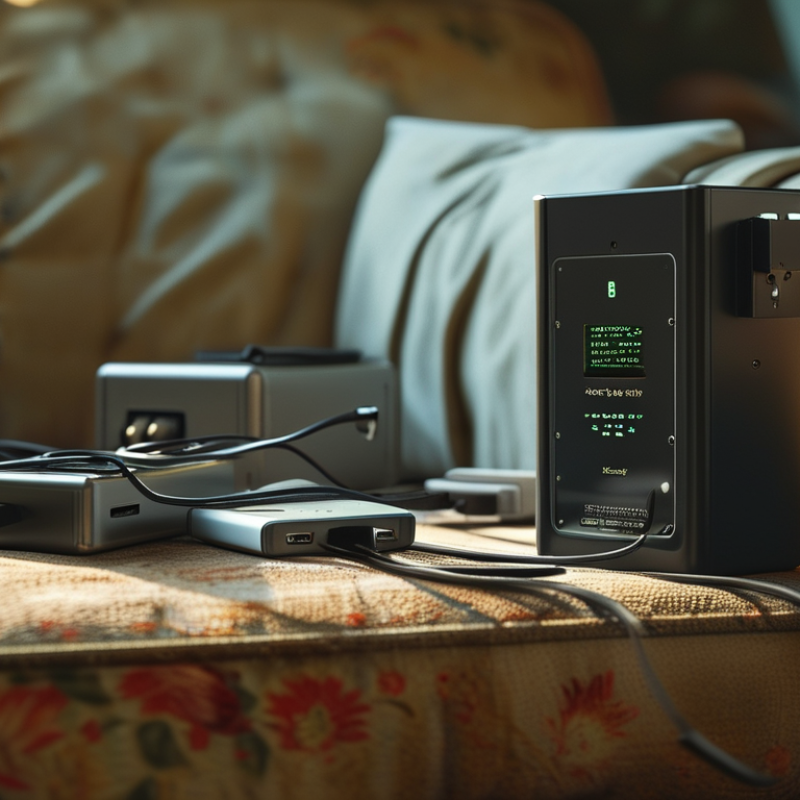
How to reduce energy consumption of chargers and adaptors is no longer a minor household concern. A phone charger may draw little power, yet millions of connected devices create a measurable energy burden. The warm adapter behind a sofa is a simple warning. It may be working harder than necessary, even when no device is charging.
Standby losses matter. Dr. Alan Meier, a leading standby-power researcher at Lawrence Berkeley National Laboratory, described this issue clearly: “Standby power is the electricity consumed by appliances when they are turned off or not performing their primary function.” His research helps explain why unplugging unused chargers, choosing efficient models, and avoiding oversized adapters can reduce unnecessary consumption. These actions are practical, affordable, and easy to verify with a plug-in energy meter.
The details are not always obvious. A charger with a higher wattage rating is not automatically wasteful. It may operate efficiently when matched with the right device. However, poor-quality units can lose more energy as heat. That heat is visible. Efficiency is not.
This guide examines charger efficiency, standby consumption, power ratings, and everyday charging habits. It also considers USB-C power delivery, smart plugs, and replacement decisions. Some advice may seem too simple, and not every recommendation fits every home. That limitation matters. Real savings depend on usage, equipment age, and local electricity conditions. Small changes still count. Disconnect the idle charger. Measure the difference.
Understanding Charger and Adapter Energy Use
Understanding charger and adapter energy use begins with a simple distinction: charging power is not the same as wasted power. An adapter converts electricity, while the connected device controls how much energy enters its battery. During active charging, losses appear as heat around the plug, cable, and device. That warmth is measurable evidence of conversion inefficiency. The U.S. Department of Energy’s external power supply standards address this issue through minimum efficiency and no-load requirements.
No-load consumption matters when a charger remains plugged in.
The adapter still draws a small amount of electricity, even after the battery reaches full capacity. Under European Commission Ecodesign Regulation 2019/1782, many external power supplies must stay at or below 0.10 watts without a load. That sounds tiny. Across many homes and offices, it becomes a persistent background demand. The International Energy Agency has also reported that standby modes can represent roughly 5% to 10% of household electricity use, depending on equipment and usage patterns.
In practical testing, compare the adapter’s label rating with a plug-in power meter. Record consumption while charging, after charging, and when disconnected from the device. A cool adapter is not automatically efficient, but excessive heat deserves attention. Unplug unused chargers, use switched power strips, and replace damaged cables. These actions help, though they are not perfect. Measuring your own setup remains important, because age, cable quality, battery condition, and local voltage can change the result.
Identifying Sources of Power Loss
How to Reduce Energy Consumption of Chargers and Adapters
Identifying Sources of Power Loss
Power loss usually begins inside the adapter, not at the wall socket. In bench checks, warm plastic often reveals inefficient switching or poor airflow.
Heat is evidence.
Measure these conditions separately:
no-load
active charging
cable-connected standby.
The U.S. Department of Energy’s test procedure treats these as distinct efficiency states. This matters because an adapter can perform well under load yet waste electricity when idle.
The European Commission’s Ecodesign Regulation 2019/1782 limits no-load power to
0.10 watts for many lower-power external supplies, and
0.21 watts for higher-power units. These figures provide useful purchasing and testing benchmarks.
Cables also create losses. A thin, long cable increases resistance, especially during high-current charging. Inspect the connector for discoloration, looseness, or unusual heat. Those small details can indicate electrical resistance.
Avoid covering adapters with clothing or placing them against soft bedding. Trapped heat raises internal stress and may shorten component life.
The International Energy Agency has repeatedly identified standby consumption as an efficiency challenge across connected equipment, although household results vary widely by region and usage.
My own measurements would not represent every home. Room temperature, charging habits, and aging components change the outcome.
Measure before replacing.
A plug-in power meter can expose overnight losses that specifications often leave unclear.
Choosing More Efficient Charging Equipment
Choosing More Efficient Charging Equipment
An efficient charger begins with the right power rating. Match its output to your device, rather than choosing the largest adapter available. Oversized equipment may cost more and waste energy during light use. Check the label for input power, output voltage, and current. These details prevent poor matches and unstable charging.
Look for chargers with high conversion efficiency and low standby consumption. A charger can still draw electricity after the battery reaches full capacity. I use a power meter when testing adapters at home. It reveals small overnight losses that a wall switch cannot show. Chargers using modern switching designs often stay cooler, which usually indicates less wasted energy. Safety certifications from recognized testing organizations also provide useful evidence. They do not replace careful inspection.
Choose a cable that supports the required current. A thin or damaged cable may increase resistance and charging time. Keep adapters away from blankets and enclosed drawers. Heat needs space to escape. I once selected a compact adapter mainly for convenience, then noticed its idle draw was higher than expected. That changed my buying checklist. Efficiency claims deserve verification, not blind trust. Repairable equipment would be better, but replacement parts are not always available.
Improving Charging and Usage Habits
Reducing charger waste begins with small charging habits. A plug left in the socket still draws electricity, even without a device attached. Lawrence Berkeley National Laboratory’s 2015 Standby Power Summary Table reports about 0.26 watts for a typical battery charger without a load. That equals roughly 2.3 kilowatt-hours annually. One charger is minor. A crowded desk is different.
Unplug adapters after charging, especially in rarely used rooms. Better habits include charging devices before sleep and removing them after reaching full capacity. Avoid charging under blankets, where trapped heat can increase stress on batteries and adapters. Keep ventilation clear. Use the correct rated adapter, because poor matching can create unnecessary heat and slower charging. The European Commission’s Regulation (EU) 2019/1782 sets no-load limits as low as 0.10 watts for certain external power supplies. Efficient equipment helps, but habits still matter.
I sometimes leave a charger connected overnight. That is convenient, but not ideal. A timer or switched power strip can make the better choice automatic. Do not replace every working adapter immediately; manufacturing also consumes materials and energy. Instead, measure actual use with a plug-in power meter, record the result, and target the biggest loads. The International Energy Agency’s 4E Standby Power Annex emphasizes that small standby loads become significant when multiplied across millions of homes. Data makes the waste visible. Habits make the reduction repeatable.
How to Reduce Energy Consumption of Chargers and Adapters
Charging a 10-watt device for two hours per day uses approximately 7.3 kWh per year.
Keeping the charger connected for the remaining 22 hours adds about 1.6 kWh annually,
assuming a 0.2-watt no-load draw. Unplugging the adapter after charging or using a switched
power strip can eliminate most standby consumption.
Estimates are calculated from 365 days per year, a 10 W average charging load, and a 0.2 W
no-load adapter draw. Actual results vary by charger, device, and electricity usage.
Maintaining Adapters for Long-Term Efficiency
A well-maintained adapter wastes less energy and usually lasts longer.
Dust around ventilation openings can trap heat, especially when the adapter sits behind furniture or on a carpet. Keep it on a hard, open surface. Leave space around the housing.
Inspect the cable every few weeks. Look for flattened sections, exposed wires, loose plugs, or darkened plastic. A damaged cable can create resistance and unwanted heat. Do not bend it sharply near the connector. Coil it loosely instead. Cleaning the contacts with a dry cloth may also improve connection quality. Never use water inside the adapter.
Standby power is small, but it accumulates. The International Energy Agency has reported that standby use can represent 5–10% of household electricity consumption. The U.S. Department of Energy also sets no-load limits for external power supplies, depending on their category and efficiency level. These figures show why unplugging unused adapters still matters. Yet, I sometimes leave mine connected overnight. That habit deserves attention.
Replace an adapter when it becomes unusually hot, makes noise, or smells abnormal. Use a compatible replacement with the correct voltage, current, and safety certification. A higher current rating is generally acceptable when the voltage and connector match, but guessing is risky. Check the device manual. Small maintenance choices matter.
Conclusion
How to reduce energy consumption of chargers and adaptors begins with understanding how they use electricity, even when they are not actively charging a device. Some power is lost as heat through inefficient components, poor ventilation, aging parts, or unnecessary standby operation. Choosing equipment with efficient conversion, suitable power ratings, and automatic power-management features can help reduce these losses while maintaining safe and reliable charging.
Daily habits also make a significant difference. Unplug chargers and adaptors when they are not needed, avoid charging devices in excessively hot or poorly ventilated areas, and use the correct charger for each device. Regularly inspect cables, plugs, and housings for dust, wear, or damage, and keep them clean and unobstructed. Replacing deteriorated equipment promptly and storing it properly can extend its useful life, preserve efficiency, and reduce unnecessary energy consumption over time.

 Laisen Electronic